Raw UUP workflows expose too much implementation detail
Selecting builds, UUIDs, languages, editions, converter settings, network behavior and validation by hand makes the workflow harder to reproduce and easier to misconfigure.
 Stable · v1.0.0
> windows / iso builder
Build current Windows 10/11 ISO images through UUP dump with a WPF GUI, PowerShell CLI/backend, dynamic catalogs, WIM/ESD selection, preflight checks, and proxy support.
The GUI stays intentionally thin: UUP catalog, recommendation, BuildPlan, preflight, elevation, download/conversion, DISM work, ISO validation and cancellation remain owned by the PowerShell backend through a versioned machine-readable contract.
> context
The project turns the UUP dump workflow into a repeatable desktop flow while preserving a scriptable backend and avoiding a second build engine in the GUI.
Selecting builds, UUIDs, languages, editions, converter settings, network behavior and validation by hand makes the workflow harder to reproduce and easier to misconfigure.
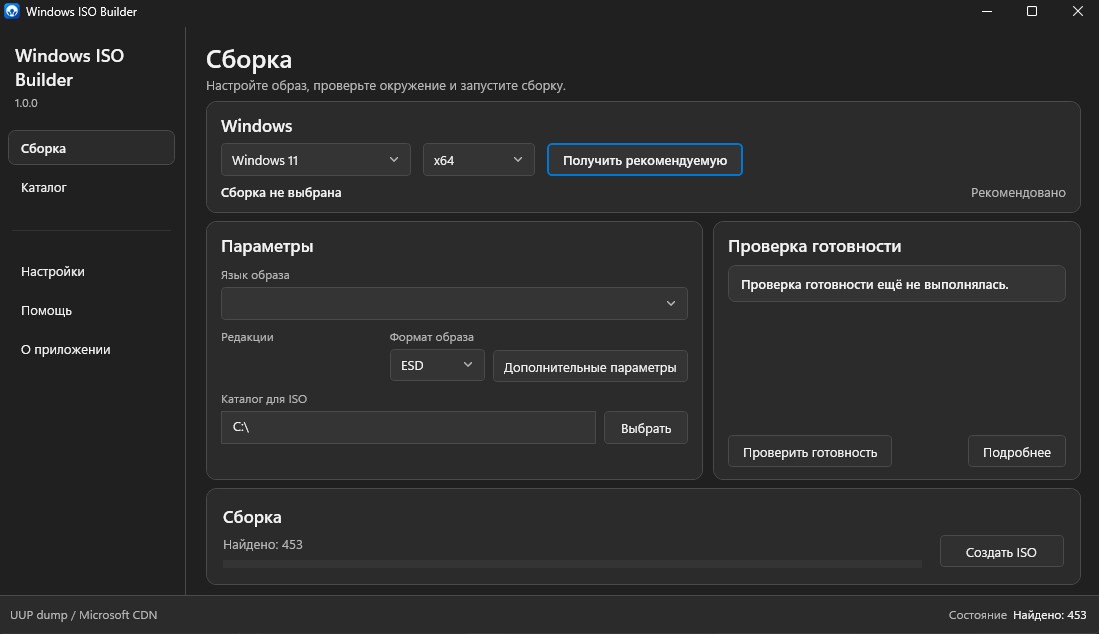
Quick Mode and Catalog Mode converge on the same backend-owned language, edition, BuildPlan, preflight and build path. The GUI orchestrates state and presentation rather than duplicating UUP or DISM logic.
> capabilities
The stable release combines GUI, CLI, network/proxy support, diagnostics and validated ISO builds.
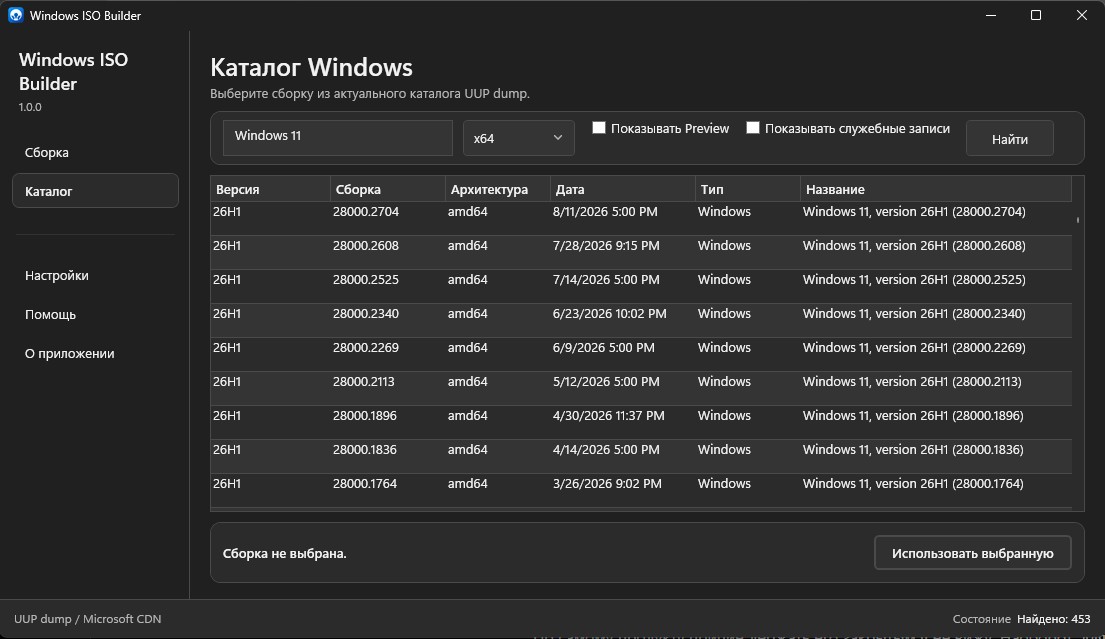
Windows 10/11 builds are discovered through UUP dump instead of a hardcoded build catalog.
Dynamic languages and editions, multi-edition selection, and WIM/ESD output.
Readiness checks run before the privileged stage so environment failures appear before UAC.
Backend-owned elevation, progress, cancellation, logs, ISO validation and final SHA-256.
System / Direct / Custom applies across UUP API, preflight, conversion downloads, aria2 and updates.
Custom HTTP/SOCKS5 with fail-closed behavior and a loopback bridge for generated downloader traffic.
WPF desktop UI plus Start-Builder.cmd, Start-Builder.ps1 and JSON/NDJSON backend automation.
Russian and English UI with English fallback and System / Light / Dark themes.
Official GitHub Releases discovery without automatic download or execution.
$ pipeline
GUI and CLI converge on one PowerShell backend through Backend Contract v1.
> interface
Real v1.0.0 screenshots from the repository, shown without cropping.
$ architecture
The GUI remains a thin client over a machine-readable contract.
C# .NET 10 thin client. MainViewModel owns UI flow; transport stays in Backend/.
Creates owned transport directories, serializes JSON, launches the public PowerShell entry point and validates schema compatibility.
Stable commands for version, catalog, recommendation, languages, editions, BuildPlan, preflight, execution and cancellation.
Single owner of UUP discovery, BuildPlan, preflight, elevation, download/conversion/DISM, ISO validation and cancellation.
NDJSON progress is advisory; the final backend response is authoritative.
GUI runs asInvoker; elevation belongs to the backend and cancellation is a structured result.
> engineering
The project favors explicit boundaries, reproducibility and fail-closed behavior.
The GUI does not reimplement UUP, DISM, recommendation, preflight or cancellation.
Bad configuration or connection failure never becomes a silent Direct retry.
Saved proxy passwords are protected and excluded from settings, BuildPlan, logs and release artifacts.
Generated aria2 sees 127.0.0.1 instead of upstream proxy credentials in its command line.
Only official GitHub Releases metadata and a validated release page are used.
v1.0.0 includes fixes found during real Windows 11 E2E validation, including ESD/WIM output checks.
> technology
> security
EXPLICIT BOUNDARIESThe application does not disable UAC or antivirus, does not embed a GitHub PAT/OAuth token, and does not execute arbitrary PowerShell names supplied by JSON.
$ stable_release
v1.0.0 is the first stable release. The standalone EXE is a self-extracting launcher containing the validated portable payload; the ZIP contains the GUI, PowerShell CLI/backend, module and documentation. Both use the same backend.
BE68856260C1312028B28C584C9E4D84F2D125AFF9751D3167ADA66377BE1DD63B455CF3527383B1A97908B25BA1B69A85A4CD18635D03DF9B0007F39250E852> links
GitHub remains the source of truth for code, architecture, validation and releases.