DNS changes are scattered across Windows
Switching resolvers, testing them, recovering from failures, and applying per-domain policies normally requires several system tools and repeated administrator actions.
 Stable · v1.5.0
> windows / dns management
Fast DNS profile switching for Windows with desktop UI, system tray, CLI, diagnostics, failover, and Split DNS.
DnsSwitcher stores reusable DNS profiles, applies or resets them on selected Windows adapters, runs DNS/site/benchmark diagnostics, and adds optional DNS Health Failover plus NRPT-based Split DNS. Privileged operations can be delegated to a Windows Agent over Named Pipes.
> context
The project combines everyday switching, diagnostics, privileged system operations, and recovery features in one Windows tool while keeping the core profile model reusable across UI, Tray, and CLI.
Switching resolvers, testing them, recovering from failures, and applying per-domain policies normally requires several system tools and repeated administrator actions.
WPF, Tray, and CLI share the same Core and Windows infrastructure. Privileged changes can flow through a dedicated Agent service instead of keeping the user interface elevated.
> capabilities
The stable release covers the complete desktop/tray workflow validated for v1.5.0.
Create, edit, import, export, apply, and restore automatic DNS for selected network adapters.
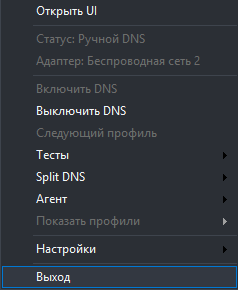
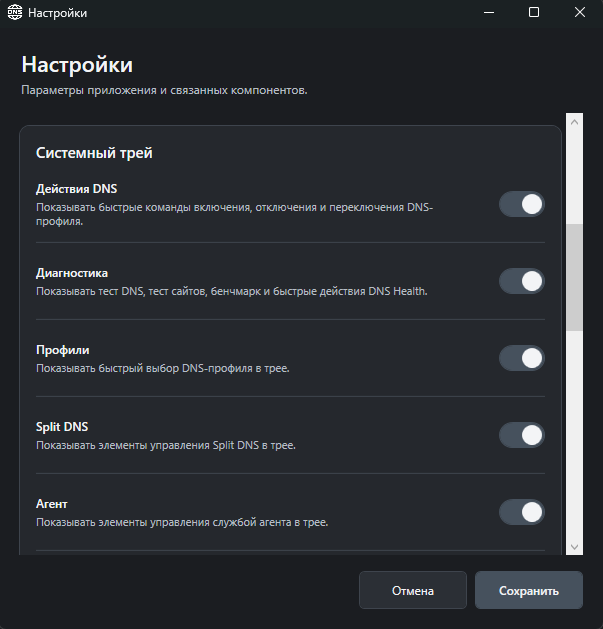
WPF desktop application, configurable system-tray actions, and a CLI for automation and diagnostics.
DNS resolution, site checks, and benchmark commands for comparing resolver behavior and performance.
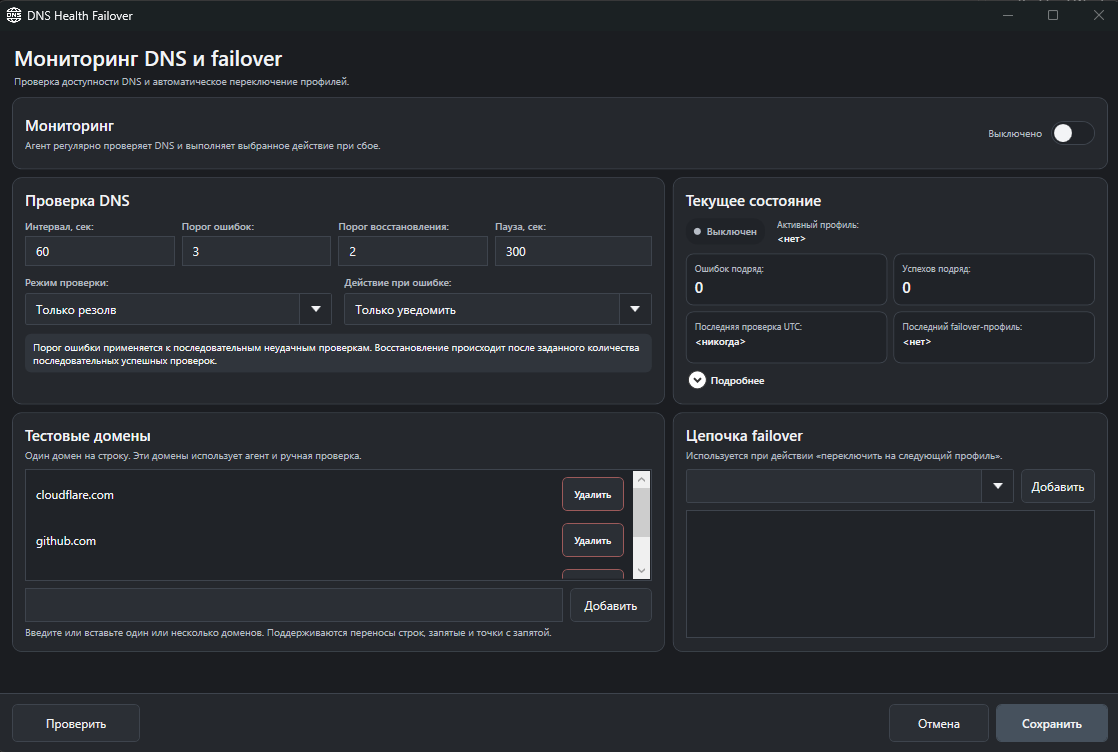
Optional monitoring with failure/recovery thresholds, cooldown, ordered failover chains, and fallback profiles.
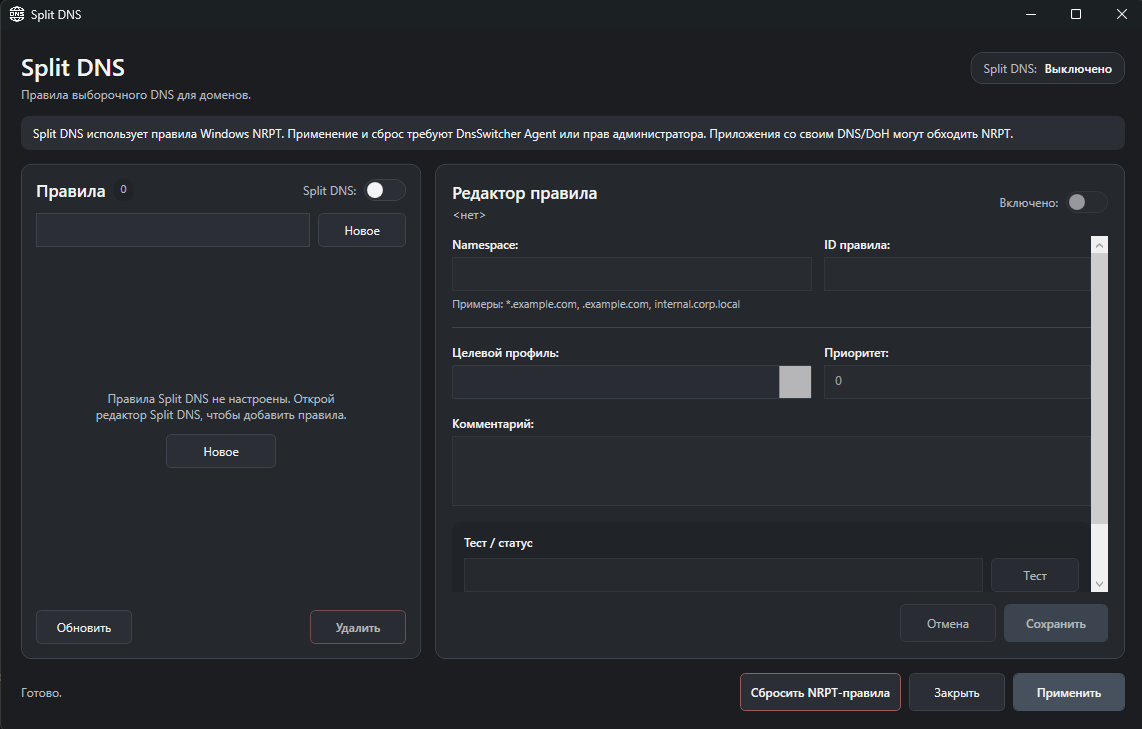
Real Windows NRPT rules for routing selected namespaces through specific DNS profiles.
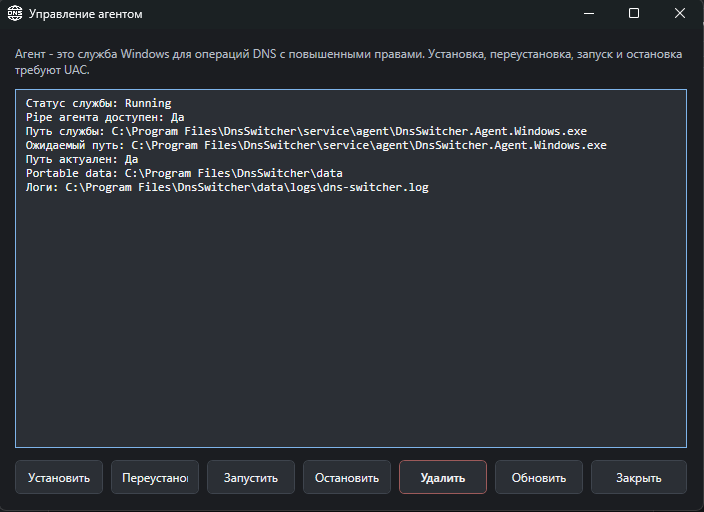
Privileged Windows Service reached through Named Pipes so UI and Tray do not need to stay elevated.
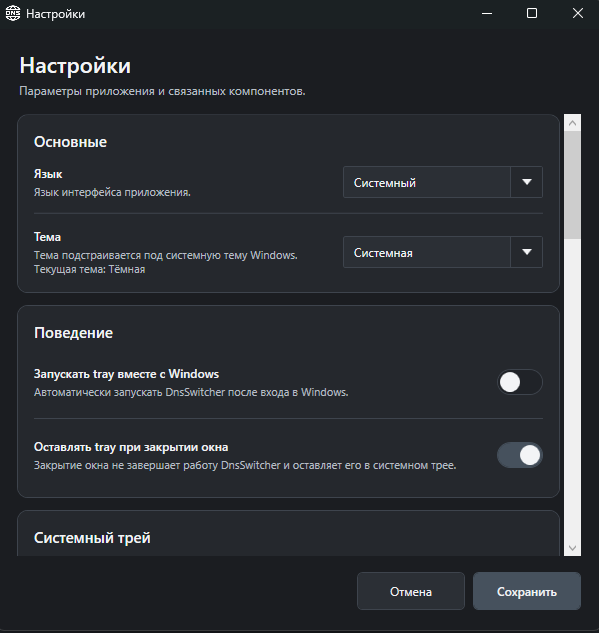
Russian and English interface with System, Light, and Dark themes and scalable Windows UI.
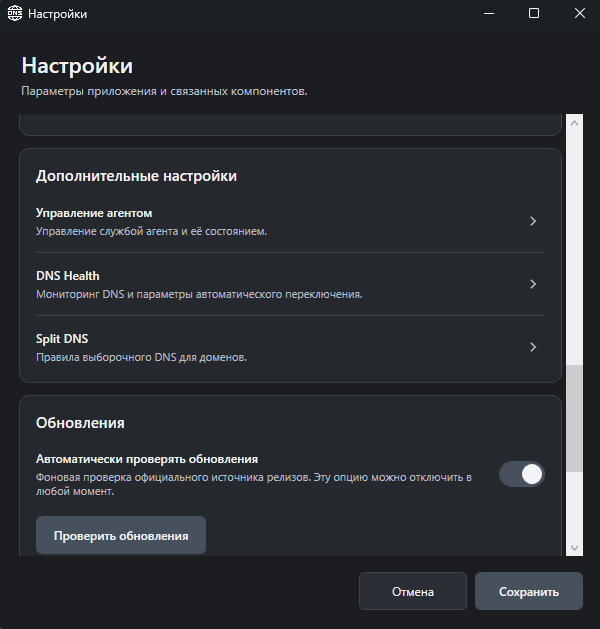
Stable GitHub Releases discovery with strict installer selection and SHA-256 verification before launch.
Self-contained Inno Setup installer and portable ZIP; no separately installed .NET Desktop Runtime is required.
$ flow
UI, system tray, and CLI share application logic. Windows-specific operations and optional privilege separation stay in dedicated infrastructure and Agent layers.
> interface
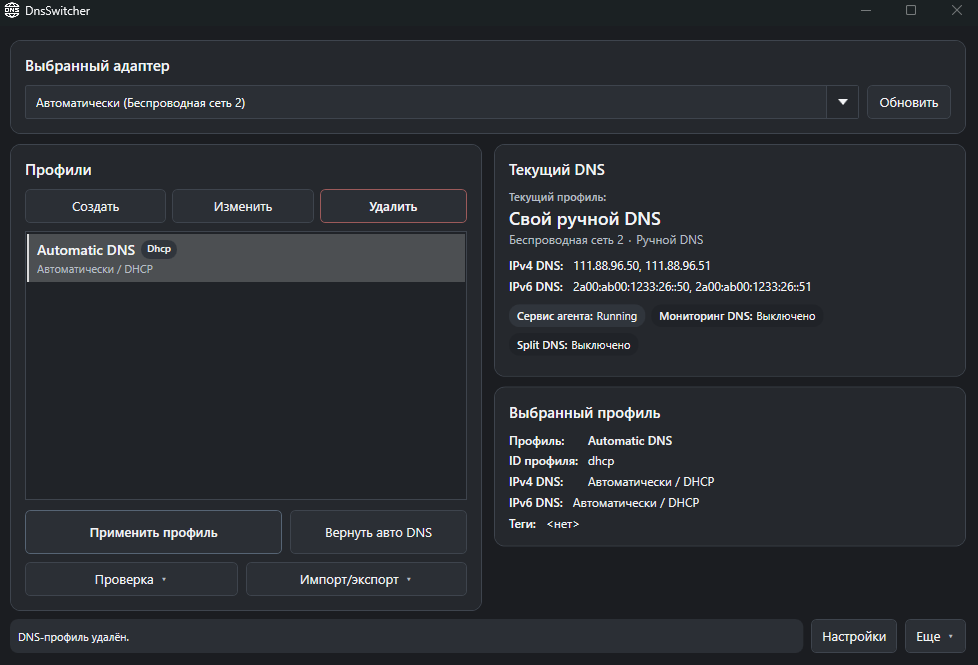
Real v1.5.0 screenshots from the running Windows application. Images are shown at their natural aspect ratio.
$ architecture
The solution separates portable application logic from Windows implementations, privileged operations, and presentation clients.
Models, abstractions, validation, profile/DNS orchestration, SemVer and update contracts.
Request/response protocol shared with the privileged Agent.
Windows DNS and NRPT implementations, local JSON storage, Agent client, update download/checksum/installer handoff.
Main application, Settings, About, Help, diagnostics, manual updates, Health and Split DNS editors.
Quick profile/system actions and throttled automatic update notifications with live menu configuration.
Windows Service + Named Pipe server for privileged DNS/NRPT/service operations.
> engineering
The design favors explicit state, recoverability, and Windows-native mechanisms over hidden background behavior.
The Agent performs privileged operations as a Windows Service; UI/Tray/CLI communicate over a versioned Named Pipe protocol.
Health Failover switches only after configured failure thresholds, enforces cooldown, and requires recovery successes before reporting healthy state.
NRPT provides Windows-native namespace routing without changing system DNS to localhost or supervising another DNS daemon.
The client accepts only expected HTTPS GitHub release assets and will not launch the installer until its SHA-256 matches SHA256SUMS.txt.
Installer and portable ZIP include the required .NET runtime, reducing target-machine dependencies.
Profiles, UI/Tray settings, Health state, Split DNS rules, and update state live under data/config and survive normal installed upgrades.
> technology
> privacy
LOCAL DATADnsSwitcher does not require a cloud account. Profiles, settings, operational state, and logs are local. Automatic update checks contact only the configured public GitHub Releases source and can be disabled.
> security
EXPLICIT BOUNDARIESThe update client contains no embedded PAT/OAuth credential. Privileged DNS and NRPT operations can be isolated in the Agent service, and downloaded installers are validated before launch.
> limitations
The project targets Windows x64 only. Split DNS depends on NRPT and cannot guarantee control over applications that use their own DNS/DoH stack. The exact minimum Windows version is not encoded as a dedicated project property.
$ stable_release
v1.5.0 is the current stable Windows x64 release. It completed final validation for UI, Tray, CLI, Agent, DNS Health, Split DNS, installer/portable delivery, localization, scaling, and in-place upgrade from v1.4.1.
B58E03CB8CAA75F43068A920FCC3163E1E13A5D8B62639162E861A4DC6EAC90E5AD5D8D0626E82203F61CD88F53D58C7C4CC5D6F9F01F40AB50C22AC679139F2> project links
GitHub remains the source of truth for code, releases, issues, architecture, testing evidence, and release notes.